Simplifying discount codes
Goal
Paying for parking with a discount is a popular feature among users and parking operators. The current flow was underwhelming and required a set of improvements.
Outcome
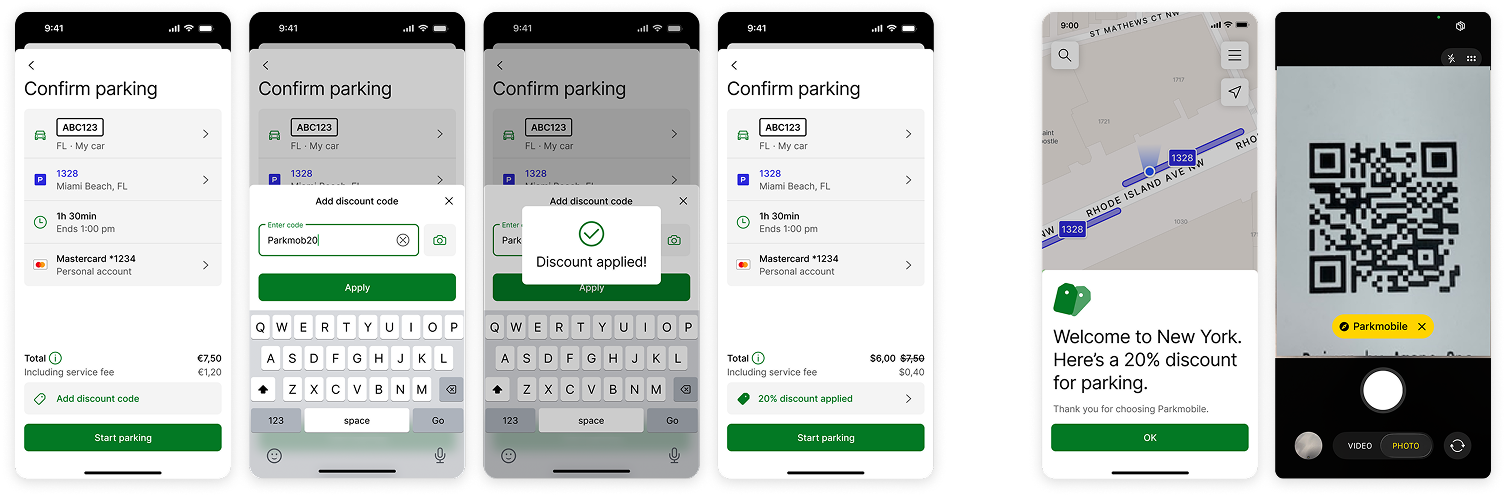
Shipped a solution that reduced time on task, and fits the realistic usage and distribution of discount codes. Further opportunities discovered in research were expressed as concepts.
My contribution
As part of my new responsibilities as a Principal Product Designer, I’ve identified areas within our different products that provided a subpar user experience. One of these areas was applying and managing discount codes in Parkmobile, US.
On a closer audit, I noticed that the flow is inefficient, way too long and often displayed irrelevant elements, confusing a user who has a few seconds to minutes to pay for parking and get on with their day. This was validated after I ran test in Maze, with 80 users.
Digging deeper, together with product, we discovered that discounts are popular in the US market; being sent out by municipalities, universities (for their students and faculty), or as parking validation by businesses amounting to 660k codes per year. Combining this information with finding from the quick user test, lead me to generate a first set of improvements.
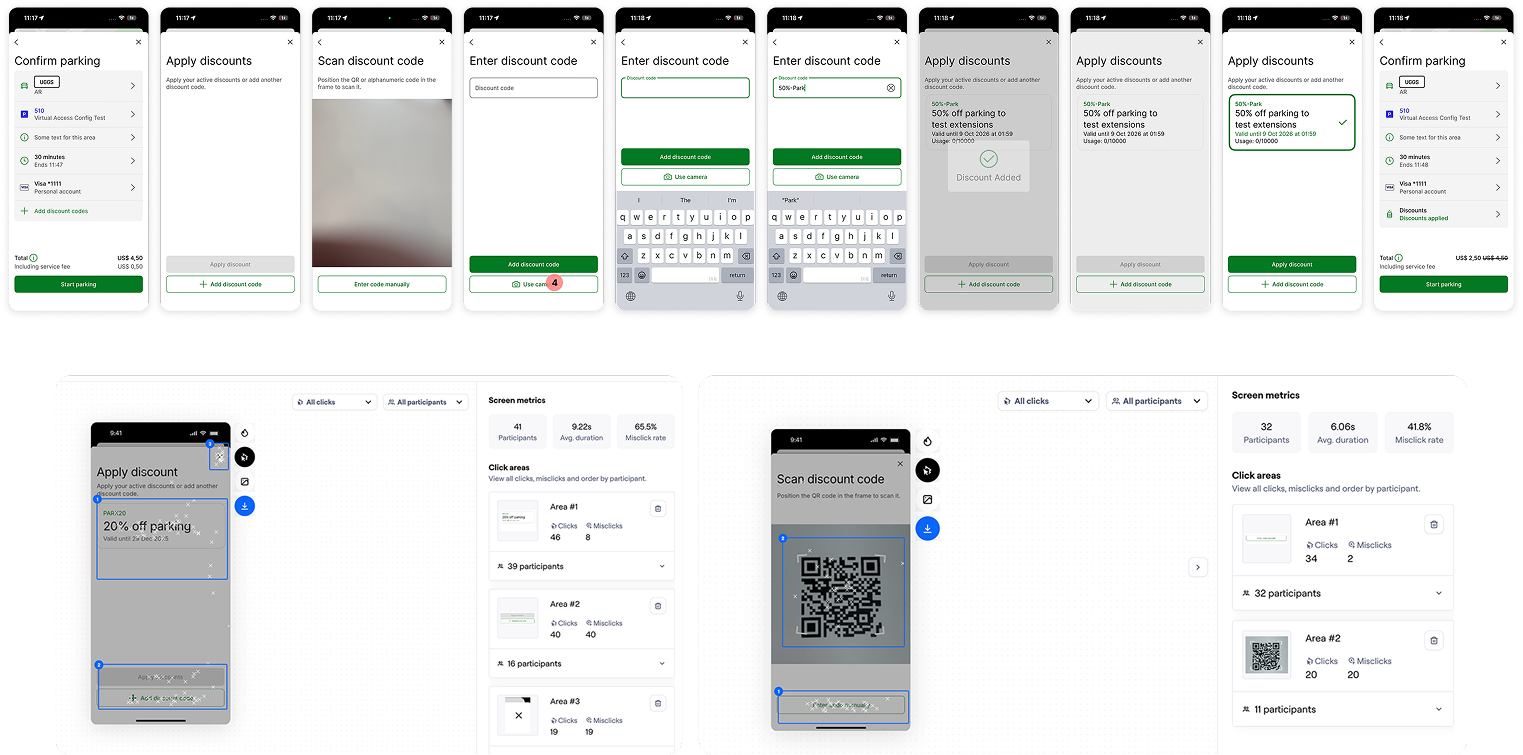
Initial implementation: most users complained about the length of the flow, dropped off at the “apply discount” step, and had to often switch away from scanning with the camera.
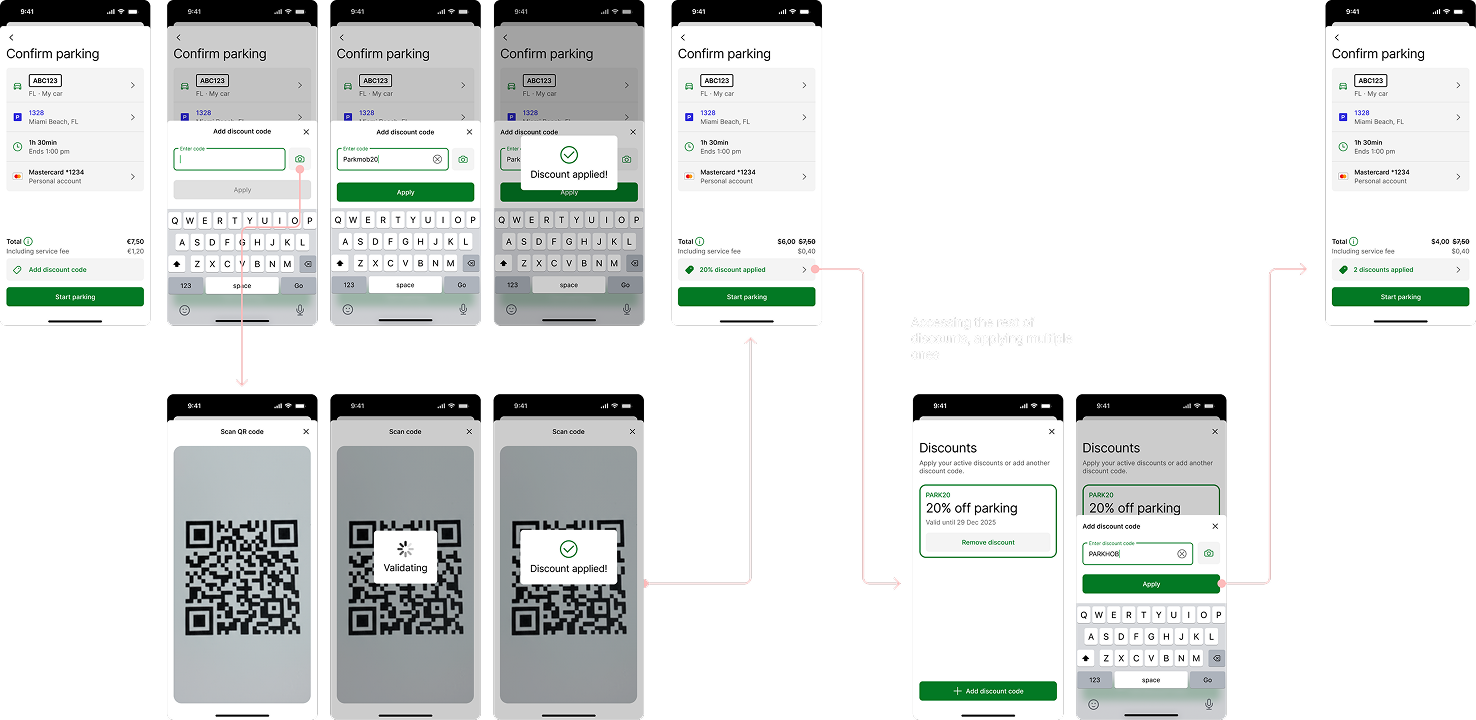
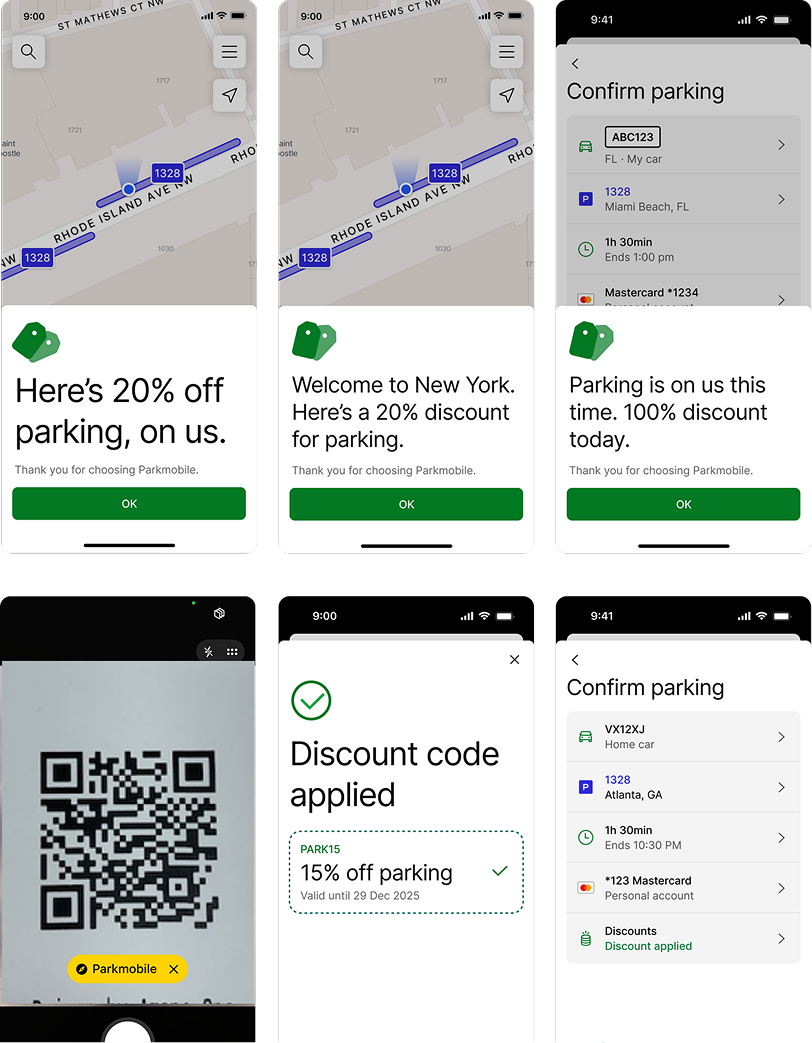
Generally, I focused on improving clarity by reducing the amount of steps to apply a code. Since most discounts are distributed as texts rather than QR codes, I’ve changed the default input type to text. While these improvements are re-tested and checked with the team, I’ve continued exploring future solutions as acquiring new users with discounts with QR deep links, or using discounts to create delightful moments.
Things I learned
- There’s no need to wait for people to fix things. If I think something can be done better, I should go for it.
- Paying less leads to positive emotion. It’s a good time to get more expressive.
- A relatively small feature, used the right way can become huge opportunity to acquire people, and potentially increase retention.